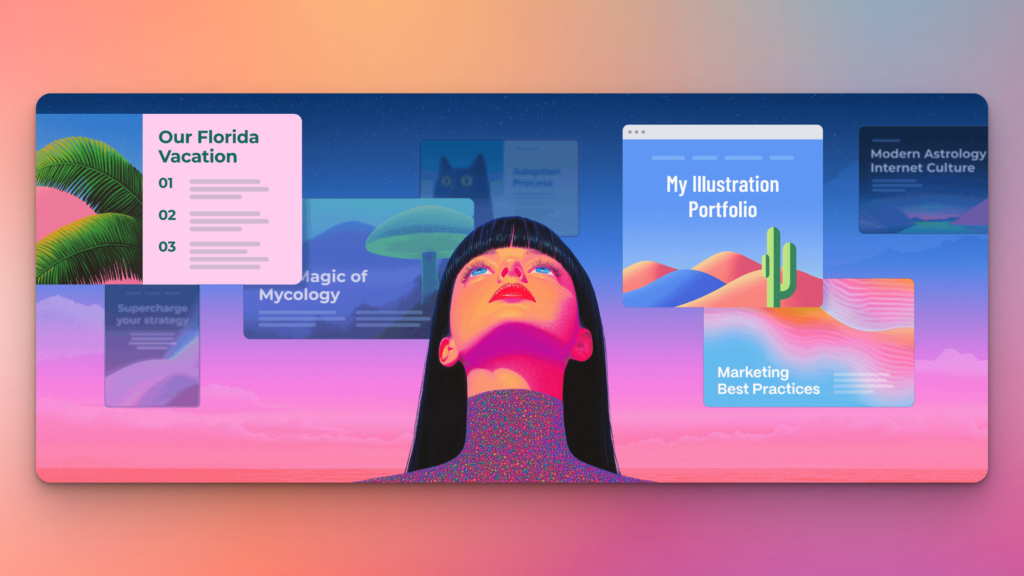



Gamma is one of the fastest ways to turn ideas into polished presentations, documents, and webpages—without touching design tools. It removes the biggest bottleneck in content creation by giving you a structured, good-looking starting point in seconds. It’s not perfect for deep customization, but if you value speed and simplicity, it’s an easy recommendation.
Free
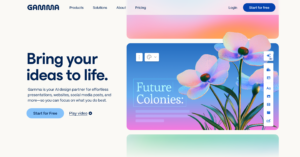
Gamma is an AI-powered content creation tool that helps you turn ideas into polished presentations, documents, and webpages in minutes.
Instead of starting from scratch, you simply describe what you want to create—and Gamma generates structured, visually appealing content instantly. It combines writing, design, and layout into a single workflow, making it especially powerful for people who want speed without sacrificing quality.
What makes Gamma stand out is its interactive output. You’re not just creating static slides—you’re building dynamic, scrollable content that feels more like a modern webpage than a traditional presentation.
In short: it’s built for people who want to go from idea → finished asset as fast as possible.
Gamma’s biggest advantage is how it merges AI writing + design + interactivity into one seamless experience.
Most tools still force you into a fragmented workflow: Write in one tool → design in another → present somewhere else.
Gamma skips all of that.
You start with a prompt and end with something that’s already structured, styled, and ready to share—whether that’s a deck, a doc, or a webpage.
That “idea-to-output” speed is what makes it feel different from traditional presentation tools like PowerPoint or Canva.
Using Gamma feels like skipping the most painful part of content creation—the starting point.
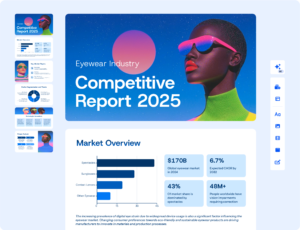
Instead of building slides manually, I found myself focusing more on refining ideas rather than formatting them. The AI does a surprisingly good job of structuring content logically, especially for things like pitch decks and reports.
Where it really stood out for me was speed. What would normally take 1–2 hours to draft took minutes.
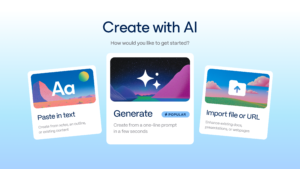
That said, I still had to tweak sections to match my tone and add more depth—but that’s expected with any AI tool.
Overall, it’s become one of those tools I reach for when I need something done quickly without it looking rushed.

Pros
Cons
Gamma offers a flexible pricing structure that scales with how much you use it—from a generous free plan to advanced AI-powered tiers.
| Plan | Price | Best For | Key Highlights |
|---|---|---|---|
| Free | $0/month | Beginners & testing | 400 credits, basic content creation, no credit card required |
| Plus | $12/month | Regular users | More credits, remove branding, advanced AI image models |
| Pro ⭐ | $25/month | Creators & professionals | 4,000 credits, premium AI, custom branding, analytics, API access |
| Ultra | $100/month | Power users & teams | 20,000 credits, advanced AI models, custom domains, early features |
What stands out with Gamma is how much time it saves.
Instead of paying for separate tools (writing, design, presentation software), Gamma combines everything into one platform. For most users, the Pro plan hits the sweet spot—giving you enough power to create at scale without overpaying.
If you’re just exploring, the free plan is genuinely usable. But if you’re creating content regularly, upgrading quickly pays for itself in time saved alone.
A great alternative if you want more control over design. Canva offers drag-and-drop flexibility and a huge template library, but it requires more manual effort compared to Gamma’s AI-first workflow.
Tome is another AI-powered presentation tool focused on storytelling. It’s strong for narrative-style decks, but Gamma offers more versatility across documents, webpages, and interactive content.
Beautiful.ai focuses heavily on presentation design automation. It’s ideal for slide decks, but lacks the broader content creation capabilities and flexibility that Gamma provides.
Ideal For:
Not Ideal For:
| Category | Score | Notes |
|---|---|---|
| Ease of Use | ⭐️⭐️⭐️⭐️⭐️ | Extremely intuitive. You can go from idea to finished content without any learning curve, making it one of the easiest tools in its category. |
| Features | ⭐️⭐️⭐️⭐️☆ | Gamma covers the essentials really well—AI generation, design, and interactivity. It’s not as deep as specialised tools, but it nails the core use case. |
| Design Quality | ⭐️⭐️⭐️⭐️☆ | Clean, modern, and professional by default. While not fully customizable like advanced design tools, the output is more than good enough for most use cases. |
| Performance & Speed | ⭐️⭐️⭐️⭐️⭐️ | This is where Gamma shines. Content generation is fast, and the workflow removes multiple steps, dramatically speeding up production. |
| Value for Money | ⭐️⭐️⭐️⭐️⭐️ | Considering it replaces multiple tools (writing, design, presentation), Gamma offers excellent value—especially on the Pro plan. |
| Customization | ⭐️⭐️⭐️☆☆ | You get branding and layout options, but it’s not built for pixel-perfect control. Best suited for speed over deep customization. |
Gamma is one of those tools that changes how you work almost immediately.
If your workflow involves creating presentations, documents, or content regularly, it removes the biggest bottleneck—the starting point. Instead of building from scratch, you’re refining something that’s already 80% done.
It’s not trying to replace advanced design tools, and it doesn’t need to. Its strength is speed, simplicity, and getting you to a polished result faster than anything else in its category.
👉 If you value efficiency and want to create more without getting stuck in formatting and design, Gamma is absolutely worth trying.
Start with the free plan, and if you find yourself using it consistently, the Pro plan is an easy upgrade.
Yes, Gamma offers a free plan with limited credits and features, which is enough to explore the platform and create basic content.
You can create presentations, documents, webpages, and interactive content—all generated from simple prompts using AI.
Gamma is faster for generating content from scratch, while tools like PowerPoint and Canva offer more manual control over design. The better choice depends on whether you value speed or customization.
Yes, especially on paid plans where you can remove branding and add custom styling, making it suitable for professional and client-facing content.