Metricool review

Metricool Review: The Most Underrated Social Media Tool for Creators & Agencies?

If you’re juggling multiple platforms, Metricool quietly does everything you need without the usual price tag.

It’s one of the easiest tools to set up, comes with a surprisingly generous free plan, and covers way more than just scheduling. You get analytics, ad tracking, website insights, and even integrations with tools like Google Looker Studio.

It’s not trying to be flashy. It just works.

For creators, freelancers, and agencies managing multiple accounts, Metricool hits that sweet spot between simplicity, power, and affordability.

Qucik Verdict (TL; DR)

4.7/5

Best For:

Creators, freelancers, and agencies managing multiple social media platforms who want an affordable all-in-one tool without complexity

Pricing:

Free (paid plans start low vs competitors)

What is Metricool?

Metricool is an all-in-one social media management platform designed to help you plan, publish, and analyse content across multiple channels from a single dashboard.

But what makes it stand out isn’t just scheduling.

Metricool brings together social media planning, analytics, ad tracking, and even website performance into one tool. You can manage platforms like Instagram, TikTok, LinkedIn, Pinterest, and more, while also tracking how your content performs and how users interact with your website.

Instead of juggling multiple tools for posting, reporting, and analytics, Metricool simplifies everything into one clean system that’s easy to set up and even easier to use.

Whether you’re managing your own brand or handling multiple client accounts, it gives you a clear view of what’s working without overwhelming you.

Most social media tools focus on one thing. Scheduling, analytics, or reporting.

Metricool does all three, and then goes a step further.

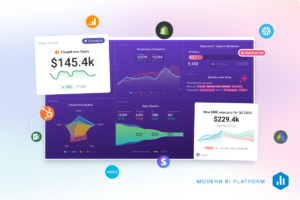
It connects your social media performance with your website data and advertising metrics, giving you a more complete picture of your content’s impact. The integration with tools like Google Looker Studio makes it especially powerful for agencies that need clean, client-ready reporting.

What really sets it apart though is the balance.

It’s powerful enough for agencies managing multiple clients, but simple enough for creators who just want to get content out consistently. And unlike many competitors, it doesn’t lock essential features behind expensive plans.

You get real functionality from day one, even on the free plan.

Metricool Review Banner

Metricool Features

Multi-Platform Scheduling
Plan and publish content across Instagram, TikTok, LinkedIn, Pinterest, Twitter, and more from a single dashboard. No switching tabs, no missed posts. Everything runs from one clean, visual planner that actually makes consistency easy.
Unified Analytics Dashboard
See what’s working without digging through each platform. Metricool pulls your performance into one place so you can track growth, engagement, and content performance at a glance.
Website & Traffic Tracking
Metricool doesn’t stop at social media. You can track website visits, user behaviour, and traffic sources, giving you a full picture of how your content actually converts.
Ad Campaign Tracking
Monitor your paid campaigns alongside your organic content. Whether it’s Facebook or Google Ads, you can see performance without jumping between platforms.
Google Looker Studio Integration
Turn your data into clean, client-ready reports. Metricool integrates directly with Looker Studio, making it easy to build dashboards without manual exporting or messy spreadsheets.
Competitor Tracking
Keep an eye on what others in your niche are doing. Metricool lets you track competitor performance so you can spot trends, gaps, and opportunities faster.
Content Performance Insights
Quickly identify your best-performing posts and double down on what works. Metricool highlights trends so you’re not guessing what to post next.
Generous Free Plan
Unlike most tools, Metricool gives you real functionality for free. You can manage multiple platforms and access core features without being forced into a paid plan immediately.

My Experience Using Metricool

I’ve used Metricool across multiple platforms, and the first thing that stood out was how quickly everything just… worked.
No complicated onboarding. No digging through settings.

I connected my accounts, and within minutes I had a full view of my content, analytics, and performance across platforms.

The planner is one of my favourite parts.

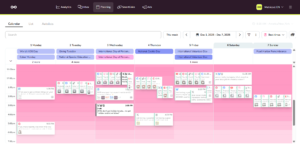
It’s visual, clean, and actually useful. You can see your entire content schedule laid out across the week, drag and drop posts, and even optimise based on the “best time to post” heatmap. It removes a lot of the guesswork and makes planning feel structured instead of chaotic.

On the content side, creating and scheduling posts is straightforward.
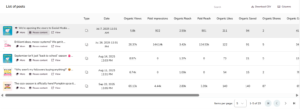
You can tailor posts per platform, save drafts, send content for approval, and manage everything without leaving the dashboard. If you’re working with a team or clients, that approval flow is a small feature that makes a big difference.

Then there’s the analytics.
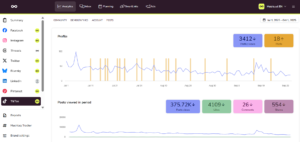
This is where Metricool quietly outperforms a lot of tools in its price range. You’re not just getting surface-level metrics. You can break down performance by posts, audience demographics, growth, engagement, and even competitor benchmarks.

Everything is easy to read and actually actionable.

I also explored features like competitor tracking and hashtag analytics, and they add a strategic layer without making things overly complex. You can quickly see what others are doing, what’s working, and where you can improve.
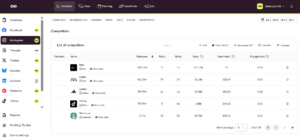
Reporting is another strong point.

Generating clean reports (PDF or PPT) takes seconds, and they’re genuinely client-ready. If you’re running an agency or managing accounts for others, this alone saves a ton of time. And with the Google Looker Studio integration, you can take reporting even further.

What surprised me most is how much is included.
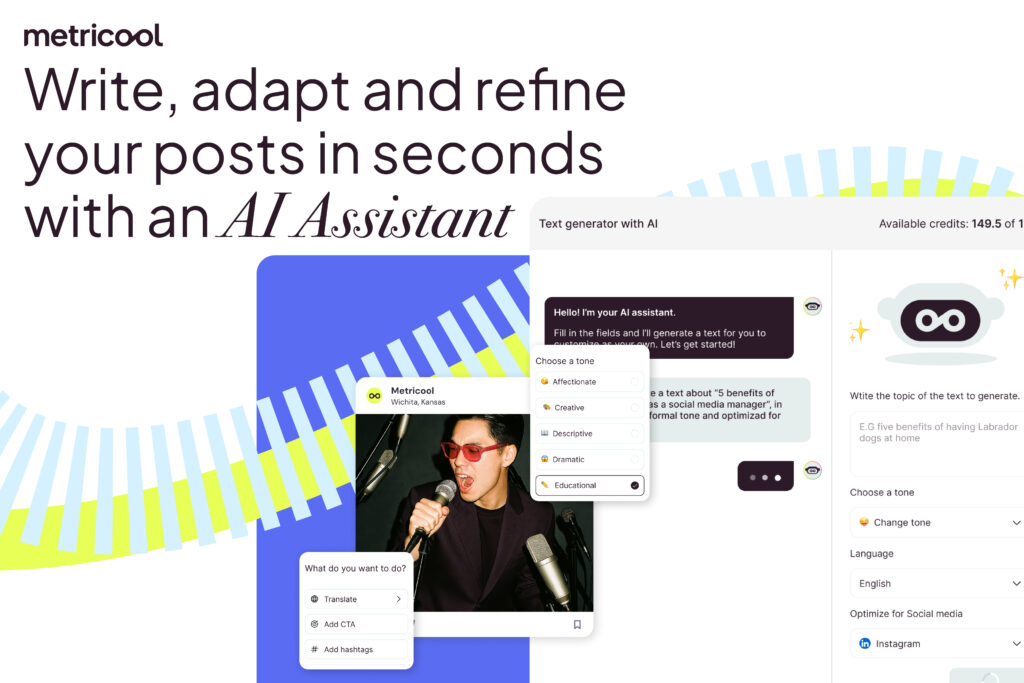
There’s built-in ad tracking, an inbox for managing conversations, and even an AI assistant to help with content. Most tools would split these into separate products or lock them behind higher-tier plans.

Metricool just includes them.

Overall, it feels like a tool that was built for people who actually manage content daily. It removes friction, simplifies your workflow, and gives you everything you need without overcomplicating things.


Metricool Pros & Cons

Pros

All-in-one dashboard for multiple platforms
Clean, visual content planner
Strong analytics without complexity
Tracks both organic and paid performance
Includes website & traffic tracking
Generous free plan
Great for client reporting (Looker Studio integration)

Cons

UI can feel slightly overwhelming at first
Not as beginner-friendly as simpler tools like Buffer
Limited advanced automation compared to high-end tools
Mobile experience isn’t as strong as desktop
Some features are locked behind paid plans

Pricing Breakdown

Plan Price Best For Key Features
Free $0/month Beginners & solo creators 1 brand, 20 posts/month, basic analytics, AI assistant
Starter From $25/month Freelancers & small teams Unlimited posts, competitor tracking, PDF/PPT reports, multi-platform support
Advanced From $67/month Agencies & growing teams Client management, approval workflows, custom reports, Looker Studio integration
Custom Custom pricing Large teams & enterprises White label, dedicated manager, custom integrations, advanced support

What stands out with Metricool is how much you get before you ever have to pay.

The free plan isn’t just a trial, it’s actually usable. And when you do upgrade, each tier feels like a natural step up rather than a forced jump.

For most creators and freelancers, the Starter plan is more than enough. But if you’re managing clients or running an agency, the Advanced plan is where Metricool really starts to shine.

If you want to try one of the premium plans for free, you can use the code FLOWS4 at checkout.

Best Metricool Alternatives

buffer-icon
Buffer

Buffer is the best choice if you want something super simple and beginner-friendly. Great for basic scheduling without the extra analytics.

hootsuite-icon
Hootsuite

Hootsuite is a more enterprise-focused option with deeper integrations, but comes at a higher price.

later-icon
Later

Later is Ideal if your focus is heavily on visual platforms like Instagram and Pinterest.

Who Should Use Metricool

Ideal For:

Content creators managing multiple platforms
Freelancers handling client social media accounts
Agencies that need reporting and collaboration tools
Marketers who want both social and website analytics in one place
Anyone looking for a powerful free plan to start with

Not Ideal For:

Beginners who want a super minimal, plug-and-play tool
Users looking for heavy automation workflows (like enterprise tools)
Teams that only need basic post scheduling

Final Verdict

CategoryScoreNotes
Ease of Use⭐️⭐️⭐️⭐️☆The interface is clean and powerful, but first-time users might need a bit of time to understand where everything lives.
Features⭐️⭐️⭐️⭐️⭐️Covers everything from scheduling to analytics to ad tracking. It replaces multiple tools in one dashboard.
Analytics & Reporting⭐️⭐️⭐️⭐️⭐️One of Metricool’s strongest areas. The ability to track social, ads, and website data in one place is a huge advantage.
Pricing / Value for Money⭐️⭐️⭐️⭐️⭐️Extremely competitive pricing with a genuinely useful free plan. Hard to beat for what you get.
Automation & Advanced Tools⭐️⭐️⭐️☆☆Covers the basics well, but lacks deeper automation compared to enterprise-level tools.
Integrations⭐️⭐️⭐️⭐️☆Strong integrations like Google Looker Studio, but not as extensive as some high-end platforms.
Mobile Experience⭐️⭐️⭐️☆☆Works fine for quick tasks, but the desktop experience is where Metricool really shines.
Overall Score⭐️⭐️⭐️⭐️☆A powerful, well-rounded tool that hits the sweet spot between affordability and functionality.

Metricool is one of those tools that quietly does a lot better than most people expect.

If you’re managing multiple platforms, juggling content, or trying to actually understand what’s working, it removes a ton of friction. Everything lives in one place — scheduling, analytics, ads, even website tracking — and it just makes the whole process feel simpler.

Is it perfect? Not quite. There’s a small learning curve, and if you’re looking for heavy automation, you might outgrow it.

But for creators, freelancers, and agencies who want a powerful, affordable, all-in-one tool… Metricool hits a really sweet spot.

👉 If you want something that balances simplicity, depth, and price — this is an easy recommendation.

Metricool FAQs

Is Metricool really free?

Yes, Metricool offers a genuinely usable free plan. You can manage one brand, schedule posts, and access basic analytics without needing to upgrade immediately. You can use discount codes like FLOWS4 to use premium features for free as well.

Is Metricool good for beginners?

It can be, but there’s a slight learning curve. If you’ve used social media tools before, you’ll feel comfortable quickly. Absolute beginners might need a bit of time to get used to the dashboard.

Can Metricool manage multiple social media accounts?

Yes, but this depends on your plan. Paid plans allow you to manage multiple brands and social profiles from one dashboard.

Does Metricool include analytics?

Yes, analytics is one of Metricool’s strongest features. You can track social media performance, website traffic, and even ad campaigns in one place.

Is Metricool worth it?

For the price, it’s one of the best value-for-money tools available. It combines scheduling, analytics, and reporting in a way that usually requires multiple tools.