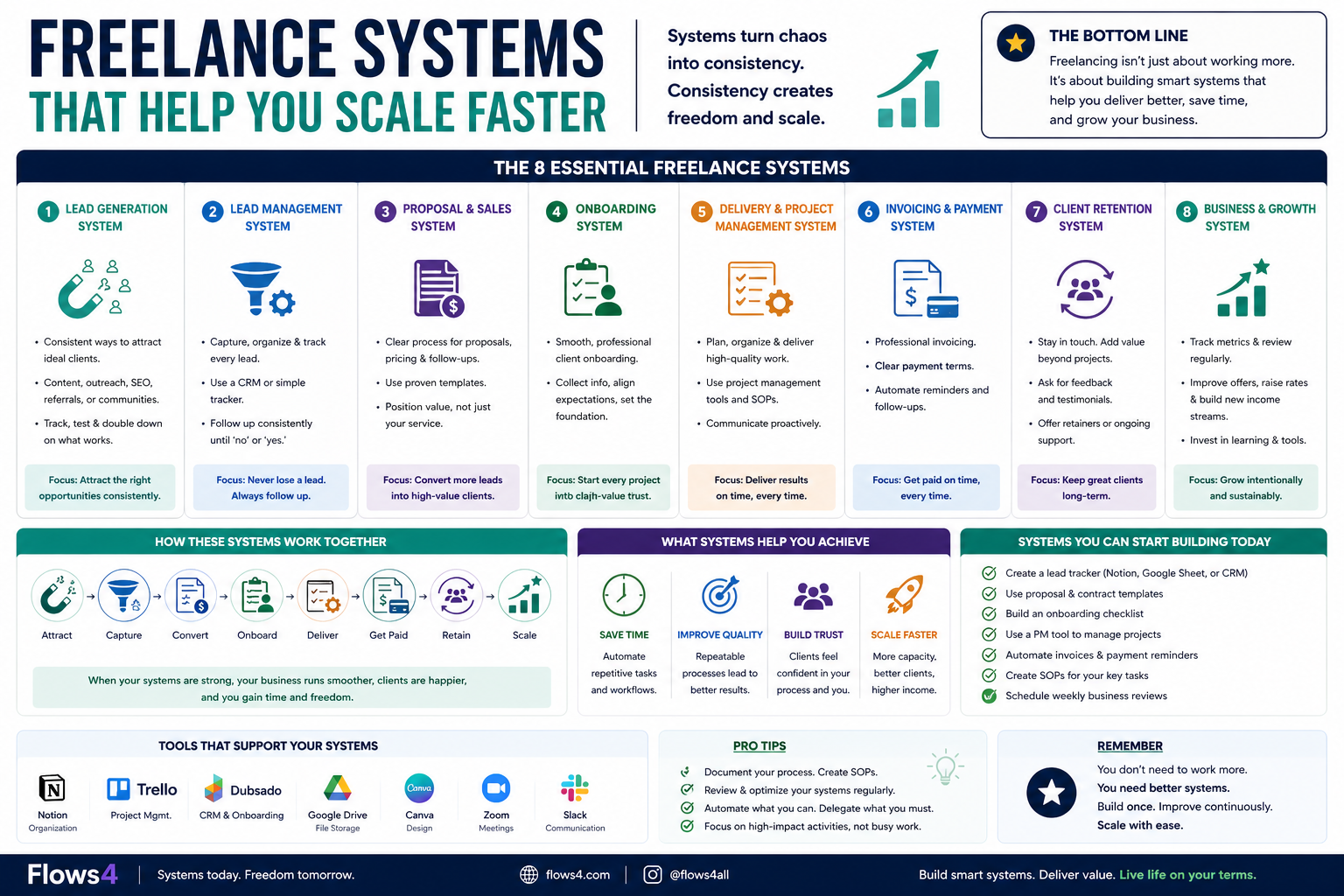
Creating your first digital product might sound intimidating, but in reality it’s much simpler than most people think.
Many beginners search for ways to create their first digital product because it’s one of the easiest ways to start an online business without inventory or shipping.
Digital products are things you create once and sell repeatedly online. They can include templates, eBooks, online courses, prompt packs, planners, and many other downloadable resources.
The biggest advantage is that digital products don’t require inventory, shipping, or manufacturing. Once your product is created, it can generate income again and again.
If you’re new to the creator economy, here’s a simple step-by-step guide to creating your first digital product.

Step 1: Choose a Simple Idea
Your first digital product does not need to be complex.
In fact, simple products often perform better because they solve a specific problem quickly.
Examples of beginner-friendly digital products include:
- Canva templates
- Notion dashboards
- printable planners
- social media caption packs
- AI prompt packs
If you’re still exploring ideas, you can check out our guide on digital products you can create this weekend for beginner-friendly options.
Step 2: Solve One Specific Problem
Successful digital products solve clear problems.
Ask yourself:
- What problem does this product solve?
- Who is it for?
- What result will the buyer get?
For example:
Instead of creating a generic planner, create a weekly planner for freelancers or a content calendar for YouTubers.
The more specific your product is, the easier it becomes to market.
Step 3: Create the Product
Now it’s time to build your product.
The tools you use will depend on the type of product you’re creating.
Common tools include:
- Canva for templates and graphics
- Google Docs for eBooks and guides
- Notion for productivity templates
- Excel or Google Sheets for calculators and trackers
Most digital products can be created in just a few hours or a weekend.
Focus on delivering value rather than perfection.
Step 4: Package Your Product
Once your product is ready, you’ll want to package it professionally.
This usually includes:
- a downloadable file (PDF, template, or spreadsheet)
- a simple product description
- preview images or screenshots
Good presentation helps buyers understand what they’re getting.
Step 5: Choose Where to Sell
The next step is deciding where to sell your digital product.
Popular platforms include marketplaces and creator platforms.
You can read our full guide on the best platforms to sell digital products to find the right option for your business.
Many creators start with platforms like Gumroad or Etsy and later move to selling directly through their own websites.
Step 6: Launch Your Product
Once everything is ready, it’s time to launch.
Your first launch does not need to be perfect.
You can start by:
- sharing the product with your audience
- posting about it on social media
- adding it to your website
- collecting feedback from early buyers
Many successful digital product businesses started with a single small product.
Common Mistakes to Avoid When You Create Your First Digital Product
When creating your first digital product, try to avoid these mistakes:
Trying to make it perfect
Your first product is a learning experience. Instead of putting pressure on it to be perfect or wildly successful, think of it as your first real test in the market. You’ll learn what people actually want, how they interact with your product, and what could be improved. Even if it doesn’t generate huge sales immediately, the insights you gain will make your next product significantly better.
Creating something too large
Small products launch faster and validate ideas quicker. Instead of spending months building something large, you can create a simple product, release it, and see how people respond. This allows you to gather real feedback, make improvements, and confirm that there is actual demand before investing more time into a bigger product.
Targeting everyone
Specific products sell better than generic ones because they solve a clear problem for a specific audience. Instead of creating something broad like a “business guide,” focus on a niche need such as “50 Instagram caption templates for fitness coaches” or “a social media planner for Etsy sellers.” When your product speaks directly to a particular group of people and their exact problem, it becomes much easier for them to see the value and decide to buy.
Avoid these mistakes and you’ll create your first digital product in no time.
Final Thoughts
Creating your first digital product is one of the easiest ways to start an online business.
You don’t need a large audience, expensive tools, or a complicated setup.
Start small, solve a real problem, and launch quickly.
Once you’ve created your first product, you can expand your catalog and grow your digital product business over time.
If you want to understand the full process of building a digital product business, check out our guide on how to sell digital products online.
What is the easiest digital product to create?
Some of the easiest digital products to create include templates, printable planners, simple eBooks, and AI prompt packs. These products can often be built in a few hours using tools like Canva or Google Docs.
How long does it take to create a digital product?
Many beginner digital products can be created in a weekend. Simple products like templates, checklists, or prompt packs often take only a few hours to complete.
Do you need a website to sell digital products?
No, you can sell digital products on marketplaces like Etsy or Gumroad. However, selling through your own website gives you more control over branding and pricing.