Learning how to make your first $100 selling digital products can feel like a huge milestone for beginners starting an online business. For many beginners, digital products offer one of the simplest ways to reach that goal without inventory, shipping, or large startup costs.
Unlike traditional businesses, digital products can be created once and sold repeatedly. A single template, planner, or downloadable resource can generate income long after it has been created.
If you’re just starting out, this guide will show you a practical path to earning your first $100 selling digital products.

Why Digital Products Are Perfect for Beginners
Digital products are beginner-friendly because they require very little upfront investment. Most creators only need basic tools like Canva, Google Docs, or Notion to start building products.
Once the product is finished, it can be sold an unlimited number of times without manufacturing, packaging, or delivery costs.
Some of the biggest advantages include:
- low startup costs
- no inventory
- instant delivery to customers
- scalable income potential
Because of these benefits, digital products have become one of the most popular ways for creators to start making money online.
Read how to sell digital products online.
Step 1: Choose a Simple Product Idea
Your first product doesn’t need to be complicated. In fact, simple products often sell better because they solve a very specific problem.
Some beginner-friendly ideas include:
- printable planners
- Canva social media templates
- budgeting spreadsheets
- resume templates
- digital stickers
If you need inspiration, you can explore our guide on digital products you can create this weekend.
Step 2: Create a High-Quality Product
Quality matters more than quantity when starting out.
Your goal is to create something that genuinely helps people. Ask yourself:
- Does this solve a clear problem?
- Is it easy to use?
- Does it look professional?
Tools like Canva make it easy for beginners to design clean, modern templates without needing advanced design skills.
Read: Digital Products for Content Creators.
Step 3: Choose a Platform to Sell Your Product
Once your product is ready, you need a marketplace where people can buy it.
Popular platforms include:
- Etsy
- Gumroad
- Creative Market
- Shopify digital downloads
- your own website
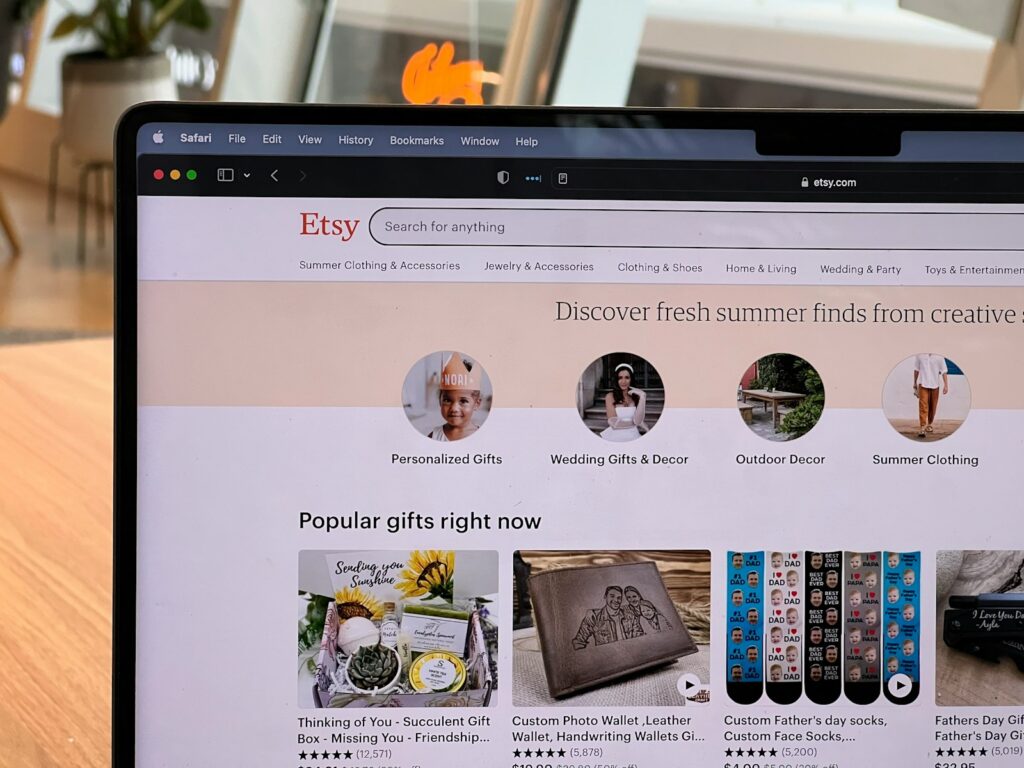
Many beginners start with Etsy because it already has millions of active buyers searching for digital products.
Step 4: Price Your Product Strategically
Pricing is important when trying to reach your first $100.
Most beginner digital products are priced between:
$5 – $20
For example:
- Sell a $10 template → 10 sales = $100
- Sell a $20 bundle → 5 sales = $100
Lower prices can make it easier to get your first customers and build momentum.
Step 5: Create Attractive Product Images
Your product images are often the first thing customers notice.
Strong listing images should:
- clearly show what the product is
- include text overlays explaining the product
- show the product in use
- look clean and professional
Good visuals can dramatically increase clicks and conversions.
Step 6: Use Keywords So Customers Can Find You
Search traffic is how many digital products get discovered.
Use keywords that customers are already searching for.
For example:
- printable budget planner
- Canva Instagram template
- digital wedding invitation template
Including relevant keywords in your title and description helps your listing appear in search results.
Step 7: Promote Your Product
While marketplaces bring some traffic, promotion can help you reach your first sales faster.
Some beginner promotion strategies include:
- Pinterest pins linking to your product
- posting examples on Instagram
- sharing in niche Facebook groups
- creating short TikTok tutorials
Even a small amount of promotion can help generate your first few customers.
How Long Does It Take to Make Your First $100?
Every creator’s timeline is different.
Some sellers make their first sale within days, while others take several weeks to build traction.
The key is consistency. Most successful creators continue adding new products, improving listings, and learning from customer feedback.
Over time, a small collection of products can begin generating regular sales.
Final Thoughts
Making your first $100 selling digital products is a realistic goal for beginners. With the right product idea, strong design, and consistent effort, it’s possible to build a small digital product business that grows over time.
If you’re still deciding what to create, check out our guide on digital products you can create this weekend for beginner-friendly ideas.
Can beginners really make money selling digital products?
Yes. Many beginners start by selling simple templates, planners, or digital downloads. With the right niche and consistent effort, even a single product can generate recurring sales.
How many sales does it take to make $100?
It depends on your pricing. For example, a $10 product requires 10 sales, while a $20 product only needs 5 sales to reach $100.
What is the easiest digital product to sell?
Some of the easiest digital products include printable planners, Canva templates, budgeting spreadsheets, and resume templates.